
Best AI Chatbot Platforms for Websites in 2026: The Complete Guide
An in-depth 2026 guide to the best AI chatbot platforms for websites - how they work, how to choose one, a detailed comparison of the top platforms, build-vs-buy, implementation best practices, and an FAQ.

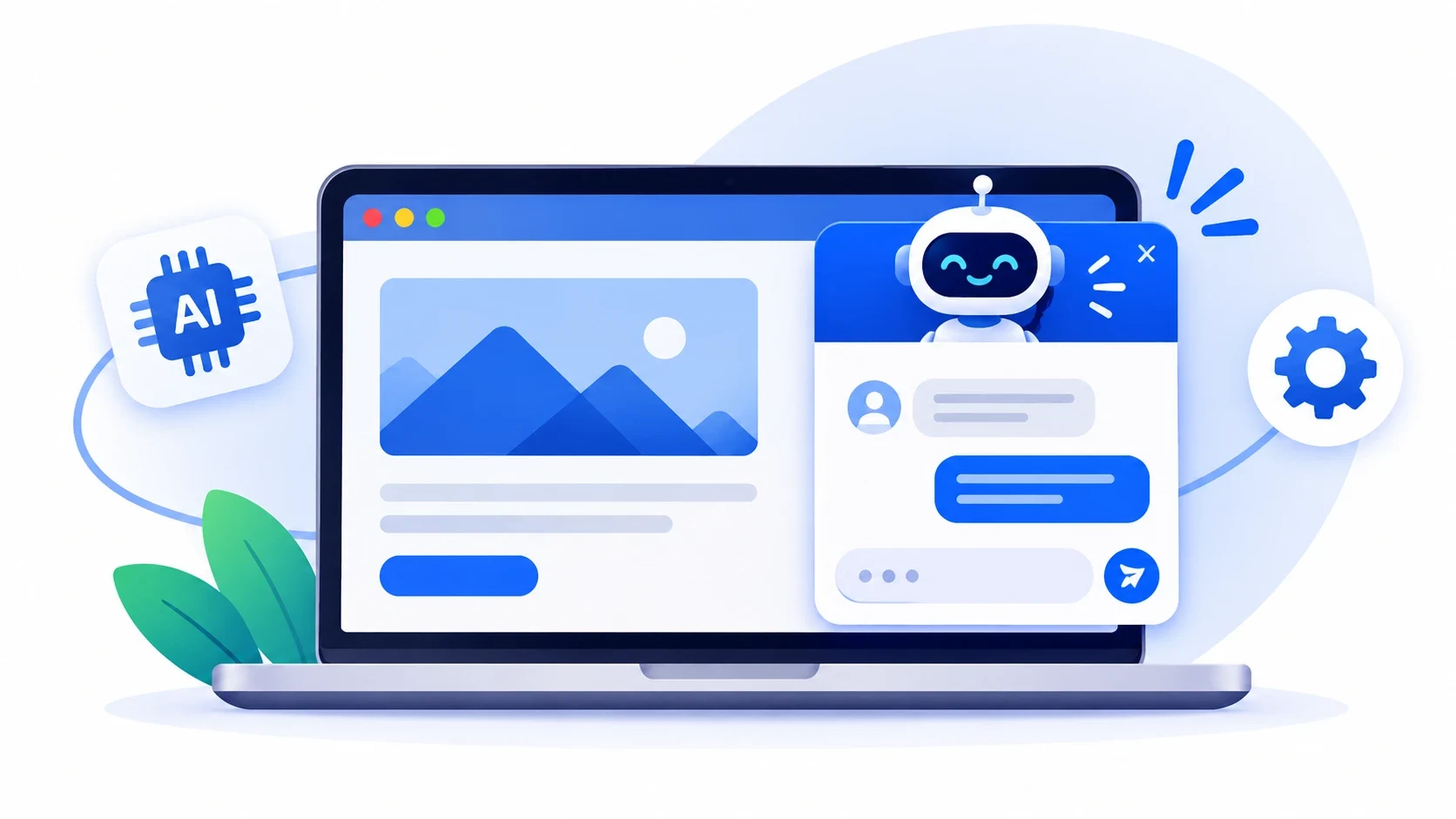
A few years ago, a website chatbot was a glorified FAQ: a rigid decision tree that answered three questions and handed everything else to a human. In 2026 that is no longer what visitors expect, and no longer what the technology delivers. Powered by large language models (LLMs) and retrieval-augmented generation (RAG), today's AI chatbots understand natural questions, pull accurate answers from your own content, complete tasks through your systems, and hand off cleanly to a person when they should. For a modern website, a good AI chatbot is one of the highest-leverage additions you can make: it answers customers instantly around the clock, qualifies and captures leads, reduces support cost, and lifts conversions - all at once.
But the market is crowded and noisy. Dozens of platforms promise the same outcomes, pricing models range from a few dollars a month to enterprise contracts, and the gap between a chatbot that delights customers and one that frustrates them is wide. This guide cuts through it. We explain how modern AI chatbots actually work, the criteria that separate the good platforms from the rest, a detailed comparison of the leading options for 2026, the build-versus-buy decision, and the implementation practices that make the difference. If you would rather skip straight to a tailored solution, VOCSO's AI chatbot development services can design and build one around your exact use case.
What makes a chatbot an AI chatbot in 2026
Not every tool that calls itself a chatbot is actually intelligent. It helps to understand the two generations you will still encounter when shopping for a platform, because many products blend them.
Rule-based (menu / decision-tree) bots follow scripts a human wrote in advance. They match keywords or present buttons, and they are predictable and cheap - but they break the moment a visitor phrases something off-script, and building them for real coverage is laborious. AI / LLM-powered bots, by contrast, understand the intent behind a message, generate fluent answers grounded in your knowledge base, handle questions nobody scripted, and hold a genuine back-and-forth. The best 2026 platforms layer the two: AI handles open-ended conversation, while deterministic rules guard sensitive flows like payments or account changes.
How an AI website chatbot actually works
Understanding the moving parts helps you evaluate platforms and avoid the ones that are thin wrappers around a single model. A capable AI website chatbot runs a pipeline for every message: it interprets the request, finds the right information, decides whether to answer or act, and responds - escalating to a human when confidence is low or the stakes are high.
Two parts of that pipeline matter most. Grounding - using RAG to retrieve answers from your actual documentation rather than letting the model improvise - is what keeps a chatbot accurate instead of hallucinating. And actions - connecting to your CRM, order system, or internal APIs - are what turn a bot from an FAQ reader into something that resolves issues. If you want to go deeper on the retrieval side, our rundown of top RAG AI frameworks covers the tooling, and we have walked through a concrete build in building an AI chatbot that queries relational databases.
What an AI chatbot does for your website
Before comparing platforms, be clear about the job you are hiring one to do, because the best platform depends heavily on your primary goal. These are the use cases that pay for themselves fastest:
The benefits and ROI of a website AI chatbot
A website AI chatbot is not a cost center - deployed well, it pays for itself on several lines at once, which is why it has moved from early-adopter novelty to mainstream expectation. The returns show up in four places, and they compound.
- Lower support cost. By resolving routine, repetitive questions automatically, a good bot deflects a large share of tickets, letting a smaller team handle a larger volume without a drop in service quality. The savings scale directly with your ticket volume.
- More revenue. Engaging visitors at the moment of intent - answering a pre-sales question, recommending a product, recovering an abandoned cart, or booking a demo - lifts conversion and captures leads that would otherwise bounce. For many sites, the lead-gen lift alone justifies the spend.
- Always-on availability. A chatbot answers at 2 a.m. and across every time zone, so you never lose a customer to a closed support desk or a slow email queue - a particular advantage for global and e-commerce sites.
- Speed and satisfaction. Instant, accurate answers raise satisfaction scores; customers consistently rank fast resolution as the single thing they value most in a support experience.
There is a fifth, quieter benefit: insight. Every conversation is a signal about what customers are confused by, what they want, and where your site falls short - a continuous stream of voice-of-customer data you can act on to improve your product, content, and funnel. We explore that angle in our piece on the role of data and AI in customer experience, and on the retention side, how AI fixes onboarding and reduces churn. To realize any of these returns, though, the chatbot has to be accurate and well-integrated - which is exactly what choosing the right platform is about.
How to choose the right AI chatbot platform
Flashy demos hide real differences. Weigh these criteria against your use case before you commit, because switching later is painful once a bot is wired into your systems and trained on your content.
AI resolution quality is the headline number: what share of conversations the bot fully resolves without a human. Knowledge grounding decides accuracy - can it ingest your docs and cite them, and how well does it avoid making things up? Integrations determine whether it can actually do things (look up an order, update a CRM record). Human handoff must be seamless, with full context passed to the agent. Pricing model matters enormously: per-seat, per-resolution, and per-conversation pricing scale very differently, and a usage-based model that looks cheap in a pilot can balloon in production. Finally, weigh data privacy - where your data and conversations are processed - especially in regulated industries. For a structured way to vet AI vendors, see our guide on how to evaluate AI agents.
Must-have features in a 2026 AI chatbot
Beyond the high-level criteria, a production-ready website chatbot in 2026 should offer a baseline set of capabilities. Use this as a checklist when you compare shortlisted platforms - a gap in any one of these can quietly undermine the whole deployment.
- Knowledge grounding (RAG): ingest your docs, site, and files and answer from them with citations - the single biggest factor in accuracy and trust.
- Seamless human handoff: escalate to a live agent with the full conversation context, and let agents jump into any conversation at any time.
- Deep integrations: connect to your CRM, help desk, e-commerce platform, and internal APIs so the bot can look things up and take real action, not just talk.
- Omnichannel reach: one assistant across your website, WhatsApp, Messenger, and in-app chat, carrying shared context between channels.
- Multilingual support: detect and respond in the visitor's language automatically, without maintaining a separate bot per language.
- No-code builder plus developer access: business users configure flows and content while developers extend behavior through an API.
- Analytics and transcripts: dashboards for resolution rate, CSAT, and conversion, plus searchable logs of every conversation for review.
- Branding and customization: match the widget's look, placement, and tone of voice to your brand so it feels native to your site.
- Security and compliance: encryption, access controls, data-residency options, and GDPR alignment - essential if you handle personal or regulated data.
- Agentic actions: the ability to complete multi-step tasks through tool and system calls, not merely return answers.
The best AI chatbot platforms for websites in 2026
There is no single best platform - only the best fit for your goal, stack, and budget. The market broadly splits into AI-first support suites, SMB-friendly all-in-ones, build-your-own developer tools, enterprise automation platforms, and fully custom builds. Here are the standouts in each, with what they are best for and where they fall short. (Pricing moves constantly and varies by source, so treat the figures as directional and confirm on each vendor's site.)
1. Intercom (Fin AI) - best for high-quality AI support resolution
Intercom's Fin is widely regarded as one of the strongest AI support agents on the market, routinely resolving a large share of conversations on its own by drawing on your help center, past tickets, and knowledge sources. It lives inside Intercom's mature messaging, ticketing, and help-desk suite, so you get a complete customer-service platform rather than a bolt-on widget - shared inbox, workflows, reporting, and omnichannel messaging included. The headline detail is its outcome-based pricing: Fin is billed per resolved conversation (roughly a dollar each), which neatly aligns cost with value but can add up at high volume on top of Intercom's premium seat fees.
Best for: support-led companies that want best-in-class resolution and a full help desk in one place.
Watch for: per-resolution costs at scale, plus the premium seat pricing layered on top.
Pros:
- Top-tier AI resolution on real support tickets
- Full help-desk suite (inbox, tickets, help center) in one place
- Outcome-based pricing - you pay per resolution, not per chat
Cons:
- Total cost climbs quickly at high ticket volume
- Human seats are billed on top of Fin resolution fees
2. Tidio (Lyro AI) - best value for small and mid-sized businesses
Tidio bundles live chat, rule-based chatbots, and its Lyro AI agent into an approachable, affordable package built squarely for small businesses and online stores. Lyro answers natural-language questions from your content, while the wider toolkit handles e-commerce touches like cart recovery, order updates, and product recommendations. It is quick to install, has a usable free tier, and does not demand the configuration or budget of enterprise suites, which is why it is a perennial value pick for SMBs that want AI support and lead capture without complexity.
Best for: small businesses and e-commerce sites wanting AI support and lead capture without enterprise cost.
Watch for: it is less suited to deep, highly custom enterprise workflows.
Pros:
- Excellent value for small and mid-sized e-commerce stores
- Fast, no-code setup you can launch in an afternoon
- Combines Lyro AI with live chat and ticketing
Cons:
- Not built for deep enterprise workflows or complex routing
- AI answer volume is capped on lower tiers
3. Zendesk AI - best inside an existing Zendesk support operation
If your support team already runs on Zendesk, its AI agents and agent copilot are the path of least resistance, layering automated resolution and real-time agent assistance over one of the most mature omnichannel help desks available. Zendesk brings deep reporting, workforce management, and a vast app ecosystem, and its AI is designed to slot into existing workflows rather than replace them. For established support organizations, that continuity - keeping tickets, macros, and SLAs intact while adding automation - is the main draw.
Best for: established support organizations already standardized on Zendesk.
Watch for: it is a support suite first, with per-agent pricing and a heavier setup than a lightweight website bot.
Pros:
- Mature, battle-tested omnichannel help desk
- Deep reporting and analytics
- AI layered cleanly onto an existing Zendesk operation
Cons:
- Carries the weight and cost of the full support suite
- Priced per agent, which adds up for larger teams
4. Freshchat (Freddy AI) - best for growing omnichannel support teams
Part of the Freshworks suite, Freshchat pairs website and messaging-channel chat with the Freddy AI agent for automated resolution and agent assist. It occupies a comfortable middle ground - more capable and omnichannel than SMB-only tools, yet more approachable and affordable than the heaviest enterprise platforms - which makes it a strong fit for teams that are scaling. The value compounds when you adopt the broader Freshworks ecosystem, giving you a connected support and sales stack with AI baked throughout.
Best for: growing teams that want omnichannel support with AI built in.
Watch for: you get the most value when you commit to the wider Freshworks ecosystem.
Pros:
- Strong omnichannel coverage across web, WhatsApp and social
- Good value for teams scaling their support
- Freddy AI handles deflection and agent assist
Cons:
- Best value only inside the wider Freshworks suite
- Advanced automation sits on higher tiers
5. HubSpot Chatbot (Breeze) - best if you run on HubSpot CRM
HubSpot's chat and AI features are engineered to feed its CRM: every conversation can create or enrich a contact record, qualify a lead, book a meeting, or trigger a workflow, keeping marketing and sales perfectly in sync. There is a genuinely usable free tier, and the value grows the more of HubSpot you run, since the chatbot becomes one more input into a unified customer view. For marketing- and sales-led sites, that tight CRM integration - rather than raw support deflection - is where it shines.
Best for: marketing- and sales-led sites already on HubSpot that prioritize lead generation.
Watch for: the more advanced AI and automation sit on higher-tier paid plans.
Pros:
- Deep native integration with HubSpot CRM and marketing
- Strong lead capture and qualification
- Free tier to get started
Cons:
- The most capable AI features need higher-tier plans
- Less specialized than dedicated support-first tools
6. Ada - best for enterprise automation at scale
Ada is a no-code AI customer-service automation platform built for very large support operations, with an emphasis on achieving high automated-resolution rates across many channels and languages. It is designed for brands handling hundreds of thousands - or millions - of conversations a year, and it pairs that scale with enterprise governance, analytics, and integrations. Because it is enterprise-only, there is no self-serve sign-up or public pricing; you engage their sales team and get a solution sized to a large, complex support organization.
Best for: large enterprises automating high-volume, multilingual support.
Watch for: no self-serve or public pricing, and it is overkill for smaller sites.
Pros:
- Built for high-volume, multilingual automation
- Enterprise-grade security and governance
- Strong automated resolution without heavy scripting
Cons:
- Enterprise-only with no public, self-serve pricing
- Overkill for small teams or simple use cases
7. Drift (Salesloft) - best for B2B conversational marketing
Now part of Salesloft, Drift pioneered conversational marketing: engaging high-intent B2B visitors in real time, qualifying them in chat, and routing hot accounts straight to sales with meetings booked on the spot. Its strength is pipeline generation rather than support deflection, with features like account-based targeting, intent signals, and tight integration into sales workflows. For B2B teams whose goal is turning website traffic into sales conversations, Drift is purpose-built - though that focus comes at an enterprise price point.
Best for: B2B teams focused on converting website traffic into sales conversations.
Watch for: it is a premium, sales-oriented tool with enterprise-level pricing.
Pros:
- Best-in-class B2B conversational marketing and sales
- Qualifies leads and books meetings automatically
- Tight fit with sales workflows and pipelines
Cons:
- Premium pricing aimed at funded sales teams
- Sales-focused, not built for general support
8. Chatbase - best for a quick bot trained on your content
Chatbase lets you stand up a capable, GPT-style chatbot trained on your website, documents, and files in minutes, then embed it with a simple snippet. It has become a popular choice for teams that want a smart support or FAQ bot live quickly and cheaply, with a free tier and accessible paid plans. Under the hood it handles ingestion, retrieval, and answer generation for you, so non-specialists can ship a content-grounded bot without wrangling infrastructure - a genuinely fast path from having docs to having a working assistant.
Best for: teams that want a capable, content-trained website bot up quickly and cheaply.
Watch for: deep integrations and complex, multi-step workflows are more limited than in full suites.
Pros:
- Spin up a bot trained on your content in minutes
- Inexpensive and easy to embed on any site
- Great for FAQ and docs-style answering
Cons:
- Limited deep integrations and workflow automation
- Not suited to complex, multi-step support
9. Botpress - best for developers building custom flows
Botpress is a flexible, developer-oriented platform for building sophisticated AI agents with fine-grained control over conversation logic, LLM behavior, and integrations. It rewards technical teams with near-unlimited customization: you can design complex flows, wire in your own APIs and tools, and tailor exactly how the agent reasons and acts. That power makes it a favorite of agencies and engineering teams building bespoke conversational experiences, though it expects real development effort and its usage-based costs can climb as volume grows.
Best for: developers and agencies building bespoke, highly custom conversational experiences.
Watch for: it expects engineering effort, and costs can rise with usage-based add-ons.
Pros:
- Deep developer customization and control
- Very flexible flow and logic building
- Open and extensible with code
Cons:
- Needs engineering effort to build and maintain
- Usage-based costs can grow with scale
10. Voiceflow - best for designing conversational experiences
Voiceflow is a collaborative design-and-build canvas for conversational AI, favored by product and design teams that want to prototype, visualize, and iterate on conversation flows together before shipping. Its visual editor makes complex dialog design approachable and keeps designers, product managers, and engineers working from the same artifact. It is powerful for crafting custom assistant experiences, but some production needs - notably live-agent handoff - lean on external tools, so Voiceflow is often one part of a larger stack rather than a turnkey, all-in-one website bot.
Best for: product and design teams crafting and iterating on custom assistant experiences.
Watch for: some production needs like live-agent escalation rely on external tools.
Pros:
- Collaborative visual design for conversational flows
- Great for prototyping and team handoffs
- Supports both voice and chat experiences
Cons:
- Live-agent handoff relies on external tools
- Less of a turnkey support help desk
11. Microsoft Copilot Studio & Google Dialogflow - best for cloud-native shops
These are the big-cloud options, and they make the most sense when your organization is already invested in that ecosystem. Microsoft Copilot Studio offers low-code agent building with tight integration into Microsoft 365 and Azure, plus the governance, security, and identity controls enterprises expect. Google Dialogflow, paired with Vertex AI, provides developer-grade natural-language understanding and generative agents on Google Cloud. Both are powerful and enterprise-ready, but they are platform plays - you get the most from them when you are standardized on Microsoft or Google and have the engineering depth to build on them.
Best for: enterprises consolidating on Microsoft or Google Cloud.
Watch for: both require more engineering and cloud expertise than consumer-grade tools.
Pros:
- Deep integration with Microsoft and Google cloud stacks
- Enterprise controls, security and scale
- Flexible, usage-based pricing
Cons:
- Requires cloud and engineering expertise to implement
- Less turnkey than packaged SaaS chatbots
12. LivePerson - best for enterprise conversational AI at scale
LivePerson is a veteran enterprise platform for conversational AI across web and messaging channels, built for large brands that handle very high message volumes with a blend of automation and human agents. Its strengths are scale, channel breadth across web, SMS, WhatsApp, and social, and mature analytics and routing, backed by years of enterprise deployments in sectors like retail, telecom, and finance. For organizations running conversational commerce and support at serious scale, it is a proven, heavyweight choice.
Best for: large enterprises running conversational commerce and support at scale.
Watch for: it is an enterprise commitment in both cost and implementation effort.
Pros:
- Enterprise-scale conversational AI
- Mature omnichannel messaging
- Proven with very large contact centers
Cons:
- Heavy and costly to implement
- Oriented to large enterprises, not SMBs
13. Crisp - best affordable all-in-one for startups
Crisp bundles a shared inbox, live chat, a help center, a CRM, and chatbot automation into one affordable, startup-friendly package. It is a tidy choice for small teams that want messaging, documentation, and basic automation in a single tool without juggling multiple subscriptions, and its clean interface keeps the learning curve low. While its AI depth is lighter than the dedicated support suites, the breadth-for-the-price makes it a practical all-in-one for startups and small businesses getting their support and marketing motions off the ground.
Best for: startups and small teams wanting a capable, low-cost all-in-one.
Watch for: its AI depth is lighter than the dedicated support suites.
Pros:
- Affordable all-in-one messaging and chatbot
- Clean, modern UI that is quick to adopt
- Good starter bundle for startups
Cons:
- Lighter AI depth than dedicated support suites
- Fewer advanced enterprise features
14. ManyChat - best for social and marketing automation
ManyChat specializes in marketing automation across Instagram, WhatsApp, and Facebook Messenger, with website chat as part of the mix. If your strategy is social-first lead generation - running campaigns, automating DMs, re-engaging followers, and capturing leads where your audience already spends time - it is a strong and affordable fit. It excels at playbook-style automations and growth tactics on social platforms, which makes it quite different from the support-desk tools; it is less about deep website support and more about turning social engagement into conversations and conversions.
Best for: marketing teams running social-first conversational campaigns alongside their site.
Watch for: it is less focused on deep website support than the help-desk platforms.
Pros:
- Social-first automation across Instagram, Messenger and WhatsApp
- Affordable entry pricing
- Strong for marketing and lead-gen flows
Cons:
- Less focused on website support and deflection
- Not a full help-desk solution
15. Custom AI chatbot (LLM + RAG) - best for full control and fit
Instead of renting a platform, you can build a chatbot on top of foundation models - such as GPT, Claude, or Gemini - with a retrieval-augmented layer over your own content and direct integrations into your systems. This is the route when off-the-shelf tools cannot meet your workflow, data-residency, branding, or integration needs, or when you simply want to own the stack rather than rent it. The trade-off is the classic one: maximum control and fit versus higher upfront build effort and ongoing ownership - which is exactly what a development partner like VOCSO delivers through its AI chatbot development services.
Best for: organizations that need a bespoke, deeply integrated assistant they fully own.
Watch for: it requires development and ongoing maintenance, typically with a partner.
Pros:
- Full control over behavior, data and fit
- You own the data and the product roadmap
- Tailored exactly to your workflows
Cons:
- Higher upfront build cost and timeline
- You own the ongoing maintenance and operations
Quick comparison
| Platform | Best for | Type | Pricing model |
|---|---|---|---|
| Intercom (Fin) | Top AI support resolution | Support suite | Per resolution + seats |
| Tidio (Lyro) | SMB & e-commerce value | All-in-one | Low monthly tiers |
| Zendesk AI | Existing Zendesk teams | Support suite | Per agent |
| Freshchat (Freddy) | Growing omnichannel teams | Support suite | Per agent |
| HubSpot | Lead gen on HubSpot CRM | All-in-one | Free tier + CRM plans |
| Ada | Enterprise automation | Enterprise | Custom (high volume) |
| Drift (Salesloft) | B2B conversational marketing | Enterprise | Premium |
| Chatbase | Fast content-trained bot | All-in-one | Free + low tiers |
| Botpress / Voiceflow | Custom developer builds | Build-your-own | Usage-based |
| Custom (LLM + RAG) | Full control & deep integration | Custom build | Project + hosting |
Pros, cons, and pricing at a glance
Here is a condensed view of each platform's strengths, weaknesses, and pricing to speed up your shortlist. Pricing is directional - it changes often and depends heavily on volume, seats, and plan tier - so confirm the current numbers on each vendor's pricing page before you commit.
| Platform | Pros | Cons | Pricing (directional) |
|---|---|---|---|
| Intercom (Fin) | Top-tier AI resolution; full help-desk suite; outcome-based pricing | Costs climb at high volume; premium seats on top | Fin ~$0.99 per resolution + seats (from ~$39/seat) |
| Tidio (Lyro) | Great SMB/e-commerce value; easy setup; live chat + AI | Not built for deep enterprise workflows | Free tier; paid from ~$29/mo |
| Zendesk AI | Mature omnichannel help desk; deep reporting | Support-suite weight; per-agent cost | Per agent, from ~$55/mo |
| Freshchat (Freddy) | Omnichannel; good value for scaling teams | Best value inside the Freshworks suite | Free tier; paid from ~$19/agent |
| HubSpot | Deep CRM integration; strong lead gen; free tier | Advanced AI sits on higher tiers | Free tier; scales with CRM plans |
| Ada | High-volume, multilingual automation; enterprise-grade | Enterprise-only; no public pricing | Custom (enterprise) |
| Drift (Salesloft) | Best-in-class B2B conversational marketing | Premium, sales-focused | Premium (around $2,500+/mo) |
| Chatbase | Fast content-trained bot; cheap; easy embed | Limited deep integrations and workflows | Free; paid from ~$40/mo |
| Botpress | Deep developer customization; very flexible | Needs engineering; usage-based costs | Free (limited); usage-based paid |
| Voiceflow | Collaborative visual flow design | Live-agent handoff needs external tools | Free; Pro from ~$60/mo |
| Copilot Studio / Dialogflow | Deep Microsoft/Google integration; enterprise controls | Needs cloud and engineering expertise | Usage-based (cloud pricing) |
| LivePerson | Enterprise scale; omnichannel; mature | Heavy and costly to implement | Custom (enterprise) |
| Crisp | Affordable all-in-one; clean UI | Lighter AI depth than dedicated suites | Free; paid from ~$45/mo |
| ManyChat | Social-first automation; affordable | Less focused on website support | Free; paid from ~$15/mo |
| Custom (LLM + RAG) | Full control, fit, and data ownership | Higher upfront build; you own maintenance | Project cost + hosting |
AI chatbots by industry
The best configuration - and sometimes the best platform - depends on your industry, because the questions, integrations, and compliance needs differ sharply from one sector to the next.
- E-commerce & retail: product discovery, order tracking, returns, and cart recovery dominate. Integration with your store and catalog matters most, and conversational recommendations and upsell can measurably lift average order value.
- SaaS & technology: onboarding, troubleshooting, and self-service documentation are the big wins. Grounding the bot in your docs and tying it to account data reduces support load and churn while speeding up activation.
- Financial services: accuracy, auditability, and data protection are paramount. Bots must route sensitive actions carefully, keep a clear audit trail, and meet strict compliance - see our AI for financial services work.
- Professional & engineering firms: chatbots triage enquiries, answer technical questions from documentation, and capture qualified leads around the clock. Our AI for engineering firms and enterprise services offerings focus squarely here.
- Healthcare, real estate & local services: appointment booking, eligibility and FAQ handling, and lead qualification are common, with privacy, accuracy, and clear human escalation as non-negotiables.
Across all of them, the pattern holds: ground the bot in authoritative content, integrate it with the systems that hold the real answers, and handle sensitive flows deterministically. Connecting a chatbot to your existing stack is often the hardest part of the project, which is where AI integration services and NLP development earn their keep.
Understanding AI chatbot pricing models
One of the most confusing parts of choosing a platform is that no two price the same way, and a model that looks cheap in a pilot can become expensive in production. It pays to understand the main pricing structures before you compare quotes:
- Per seat / per agent: you pay for each human agent using the tool (common with Zendesk, Freshchat, and Intercom seats). Predictable, and it scales with team size rather than traffic - good when your agent count is stable.
- Per resolution: you pay only when the AI fully resolves a conversation (Intercom's Fin, at roughly $0.99 each). It aligns cost with value, but the bill grows as the bot succeeds and as volume rises, so model your expected resolutions carefully.
- Per conversation or usage credits: you pay for message or conversation volume (common with build-your-own tools like Botpress and Voiceflow). Flexible, but costs track your traffic and can spike during busy periods or campaigns.
- Flat monthly tiers: a fixed fee for a bundle of usage (Tidio, Chatbase, Crisp). The most predictable option and usually the friendliest for small and mid-sized businesses, though you can outgrow a tier.
- Enterprise custom contracts: quote-based annual deals (Ada, Drift, LivePerson), typically reserved for high volumes and sold with onboarding and support.
- Custom build: a one-time development investment plus ongoing hosting and model (per-token) usage. Higher upfront, but you own the asset and the per-conversation cost at scale can be far lower than renting. Our AI development cost guide breaks down what to budget.
The practical rule: never choose on headline price. Estimate your realistic monthly conversation and resolution volume, then project the total cost under each model at that volume and a year out. A per-resolution or usage model that wins on a small pilot can lose badly once the bot is handling your full traffic - and vice versa. When in doubt, ask each vendor for a written cost projection at your expected annual conversation volume, and compare those totals - including overage rates - rather than the advertised entry prices.
Off-the-shelf vs custom: the build-versus-buy decision
For many sites, a platform is the right answer - it is fast, maintained, and good enough. But as requirements get specific - unusual workflows, tight integration with proprietary systems, strict data-residency rules, a distinctive brand voice, or the need to own your stack rather than rent it - a custom-built AI chatbot becomes the better investment. The trade-off is classic: speed and low upfront cost versus control, fit, and long-term economics.
This is where a development partner matters. VOCSO builds custom conversational assistants with our AI agent development services and generative AI development teams - grounding them in your data with RAG, connecting them to your systems, and deploying them with the guardrails a production chatbot needs. If you are weighing the decision, our AI consulting services can help you choose between buying and building before you spend.
Implementation best practices
The platform is only half the battle; how you deploy it decides whether customers love or avoid your chatbot. The teams that succeed tend to do the same handful of things well:
- Ground every answer in your own content. Use RAG over accurate, current documentation so the bot cites real sources instead of improvising. Keep that knowledge base fresh - a stale source is a confidently wrong answer waiting to happen.
- Set guardrails and limit hallucination. Constrain the bot to its domain, define what it must never say or do, and route sensitive actions (payments, account changes) through deterministic, confirmed flows rather than free-form generation.
- Make human handoff seamless. When confidence is low or a visitor asks, escalate to a person with the full conversation context attached - nothing frustrates customers more than repeating themselves.
- Test rigorously before and after launch. Bots fail in surprising ways in production; adversarial and edge-case testing is essential. Our piece on debugging NLP failures in production covers how.
- Measure what matters. Track resolution/containment rate, CSAT, escalation rate, and conversion - not just raw conversation counts - and iterate on the gaps.
- Respect privacy and compliance. Know where conversations and personal data are processed and stored, and align with GDPR and any industry rules before you launch.
Step-by-step: launching your AI chatbot
If you are starting from scratch, a disciplined rollout beats a rushed one. Here is the sequence that consistently produces a chatbot customers actually trust and use.
- Define the goal and a success metric. Decide the primary job - support deflection, lead generation, sales, onboarding - and the number you will judge it by, such as resolution rate or qualified leads per month.
- Decide build vs buy, then shortlist. Match your goal to a category, then shortlist two or three platforms (or scope a custom build) and score them against the criteria and features above.
- Assemble and clean your knowledge base. Gather the docs, FAQs, and pages the bot will answer from, remove anything outdated, and structure it so retrieval is accurate. Garbage in, confidently-wrong answers out.
- Configure flows, guardrails, and handoff. Set the bot's scope and tone, define what it must never do, route sensitive actions through confirmed steps, and wire up a clean escalation path to human agents.
- Integrate with your systems. Connect the CRM, help desk, order system, or internal APIs the bot needs so it can look things up and take action rather than deflect.
- Test with real and adversarial queries. Run it against your actual question logs and deliberately try to break it - confusing phrasing, out-of-scope asks, prompt injection - before customers do.
- Launch to a segment, then roll out. Start on a subset of traffic or pages, watch closely, fix what surfaces, and expand once it is proving itself.
- Monitor, review, and iterate. Read failed conversations weekly, refresh the knowledge base, tune guardrails, and track your success metric over time. A chatbot is a product, not a project.
Common mistakes to avoid
- Deploying a bot with no human fallback. There will always be questions it should not answer; make the escape hatch obvious.
- Letting it answer from the open model, not your content. Ungrounded bots hallucinate - and a confident wrong answer damages trust fast.
- Choosing on demo, not on total cost at your volume. Usage-based pricing can look cheap in a pilot and expensive in production.
- Treating it as set-and-forget. A chatbot needs ongoing tuning, new content, and review of failed conversations.
- Ignoring data privacy. Sending customer data to a platform without checking where it goes is a compliance risk.
Where website AI chatbots are heading
The direction of travel in 2026 is from answering to acting. Chatbots are becoming agentic - able to carry out multi-step tasks on a visitor's behalf, chaining tools and systems to resolve a request end to end rather than just replying. Expect deeper CRM and back-office integration, multimodal interfaces (voice, images, and documents in the same conversation), and more proactive assistants that reach out at the right moment based on behavior. If you want to understand the shift, our explainer on what AI agents are and our agentic workflow automation services go deeper. The upshot for website owners: the bar for what a chatbot can do is rising fast, and the platforms - or custom builds - that embrace actions and integrations will pull away from the ones that stay stuck at FAQ answering.
Which should you choose?
- Small business or online store: start with Tidio, HubSpot, or Chatbase for fast, affordable AI support and lead capture.
- Support-led company: Intercom (Fin), Zendesk AI, or Freshchat for the highest automated-resolution quality.
- B2B lead generation: Drift or HubSpot to turn traffic into sales conversations.
- Large enterprise, high volume: Ada or a cloud-native build on Copilot Studio or Dialogflow.
- Specific workflows, strict data rules, or a distinctive experience: a custom AI chatbot built on your own stack.
Frequently asked questions
How much does an AI chatbot for a website cost? It ranges widely. SMB platforms start around $20-$40 a month; support suites run per agent (roughly $55-$75) or per resolution (about $0.99 each); enterprise tools are custom-quoted; and a custom build is a one-time project cost plus hosting and model usage. The right question is total cost at your expected volume, not the headline price.
Will an AI chatbot replace my support team? No - it changes their work. A good bot deflects repetitive questions so your team focuses on complex, high-value conversations. The best setups pair AI resolution with smooth human handoff rather than removing people.
How do I stop a chatbot from giving wrong answers? Ground it in your own content with RAG, constrain it to its domain, route sensitive actions through confirmed flows, and continuously review failed conversations. Accuracy is an operating discipline, not a one-time setting.
Can an AI chatbot integrate with my CRM and tools? Yes - integration is where chatbots deliver real value. Most platforms connect to common CRMs and help desks; custom builds can integrate with anything you can expose via an API, including proprietary internal systems.
Should I buy a platform or build a custom chatbot? Buy when your needs are standard and speed matters; build when you need unusual workflows, deep integration, data ownership, or a distinctive experience. Many companies start on a platform and move to a custom build as requirements mature.
How long does it take to launch one? A content-trained platform bot can be live in days. A custom, deeply integrated assistant typically takes a few weeks to a couple of months depending on scope, integrations, and testing.
Which AI models power these chatbots? Most modern platforms run on leading foundation models - OpenAI's GPT, Anthropic's Claude, or Google's Gemini - sometimes blended with the vendor's own fine-tuned models. Custom builds let you choose the model that best fits your accuracy, cost, and data requirements, and switch as the landscape evolves.
Can an AI chatbot handle multiple languages? Yes. LLM-based chatbots handle dozens of languages natively, detecting the visitor's language and replying in it, which makes them well suited to global websites without maintaining a separate scripted bot per language.
Is my data safe with an AI chatbot? It depends on the platform and your configuration. Check where conversations are processed and stored, whether your data is used to train shared models, and whether the vendor meets your compliance obligations. A custom build gives you the most control over data residency and retention.
How do I know if my chatbot is actually working? Track containment or resolution rate (the share handled without a human), customer satisfaction on bot conversations, escalation rate, and downstream conversion or lead quality. Review transcripts of failed conversations regularly and feed the fixes back into your content and rules.
Can AI chatbots do more than chat - can they take actions? Increasingly, yes. Agentic chatbots can carry out multi-step tasks - look up and update records, process a request, trigger a workflow - by calling your systems, which turns the bot from an answer engine into something that resolves issues end to end.
Final thoughts
An AI chatbot is no longer a novelty widget - it is a front-line member of your customer experience that works every hour of every day. The best platform for you depends on your primary goal: SMB value, support resolution, B2B pipeline, enterprise scale, or a custom experience you fully own. Shortlist by category, score each option against the criteria that matter, and weigh total cost at your real volume - then invest in grounding, guardrails, and handoff so the bot earns customer trust rather than eroding it.
If you would like a chatbot built around your exact use case - grounded in your data, integrated with your systems, and designed to convert - VOCSO can help, from enterprise AI chatbot development to hiring dedicated AI developers who build and maintain it with you.
Keep reading
A 2026 guide to the best web scraping tools for building RAG-based AI applications - with key features, pros and cons, and directional pricing for Firecrawl,…

An in-depth 2026 guide to the best LLM evaluation and observability tools - what they do, how evaluation and observability differ, the metrics that matter, how…

An AI agent is software that uses a language model to plan steps toward a goal and act through tools. Here is what agents are made…